
Press
Press Kit
Everything you need for an article about DiskDonut. Texts and images may be used freely for editorial coverage.
Facts
- Name
- DiskDonut
- Developer
- Ronin Studios
- Release date
- [DATUM]
- Version
- 1.0.0
- Platform
- macOS 14 Sonoma or later, Universal (Apple Silicon & Intel)
- Size
- 2.8 MB download, around 10 MB installed
- Languages
- German, English, French, Spanish, Japanese
- Price
- Free; DiskDonut Pro €14.99 one-time (launch price €9.99), up to 5 of your own Macs, no subscription
- Distribution
- Mac App Store (in-app purchase) and direct download (license key)
- Website
- https://diskdonut.com
Logo & app icon
Short description
DiskDonut is a native storage analyzer for macOS. A colorful, interactive ring shows what fills the Mac, and a four-level safety check makes sure nothing important is lost during cleanup – entirely local, with no account and no subscription.
Full description
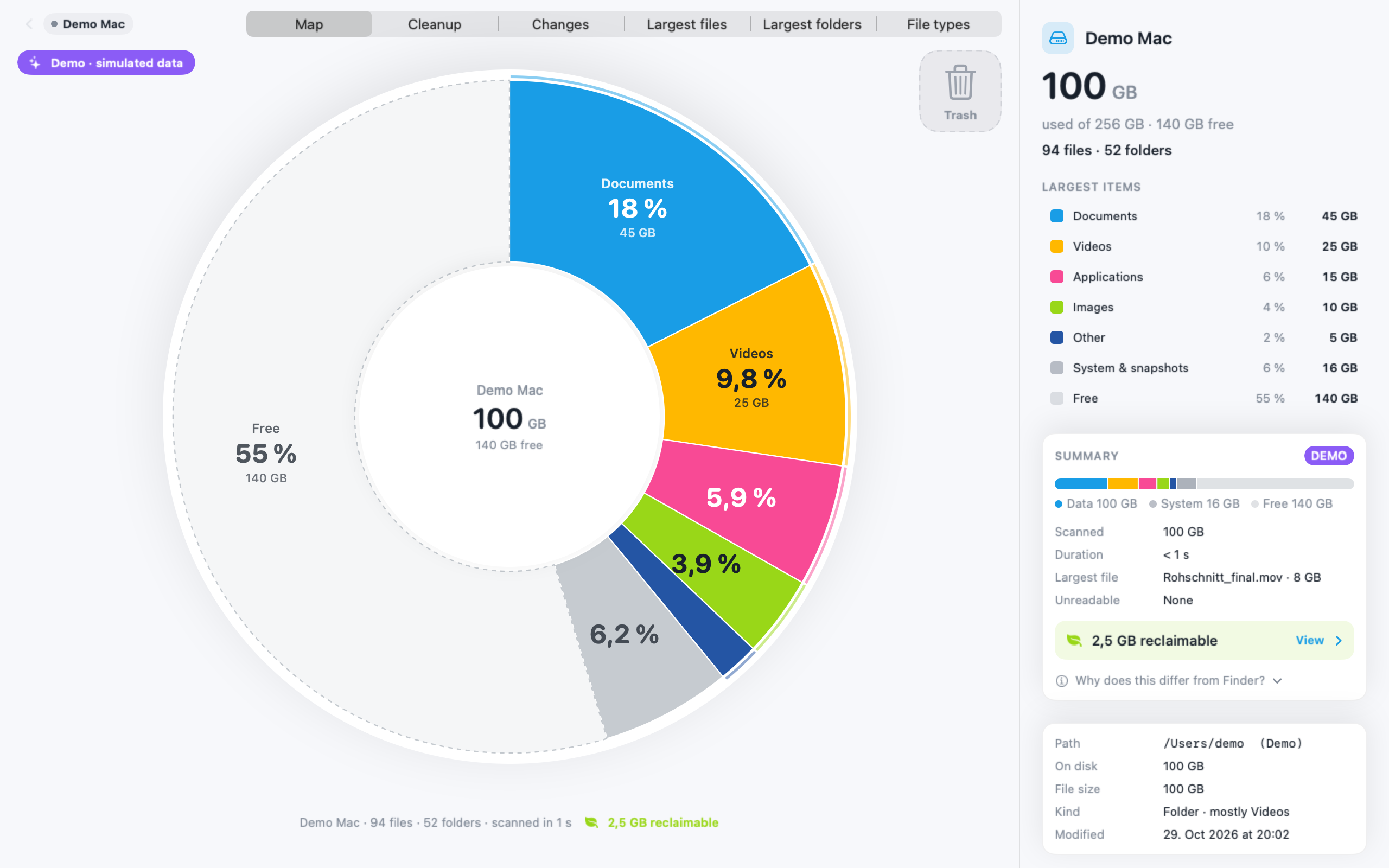
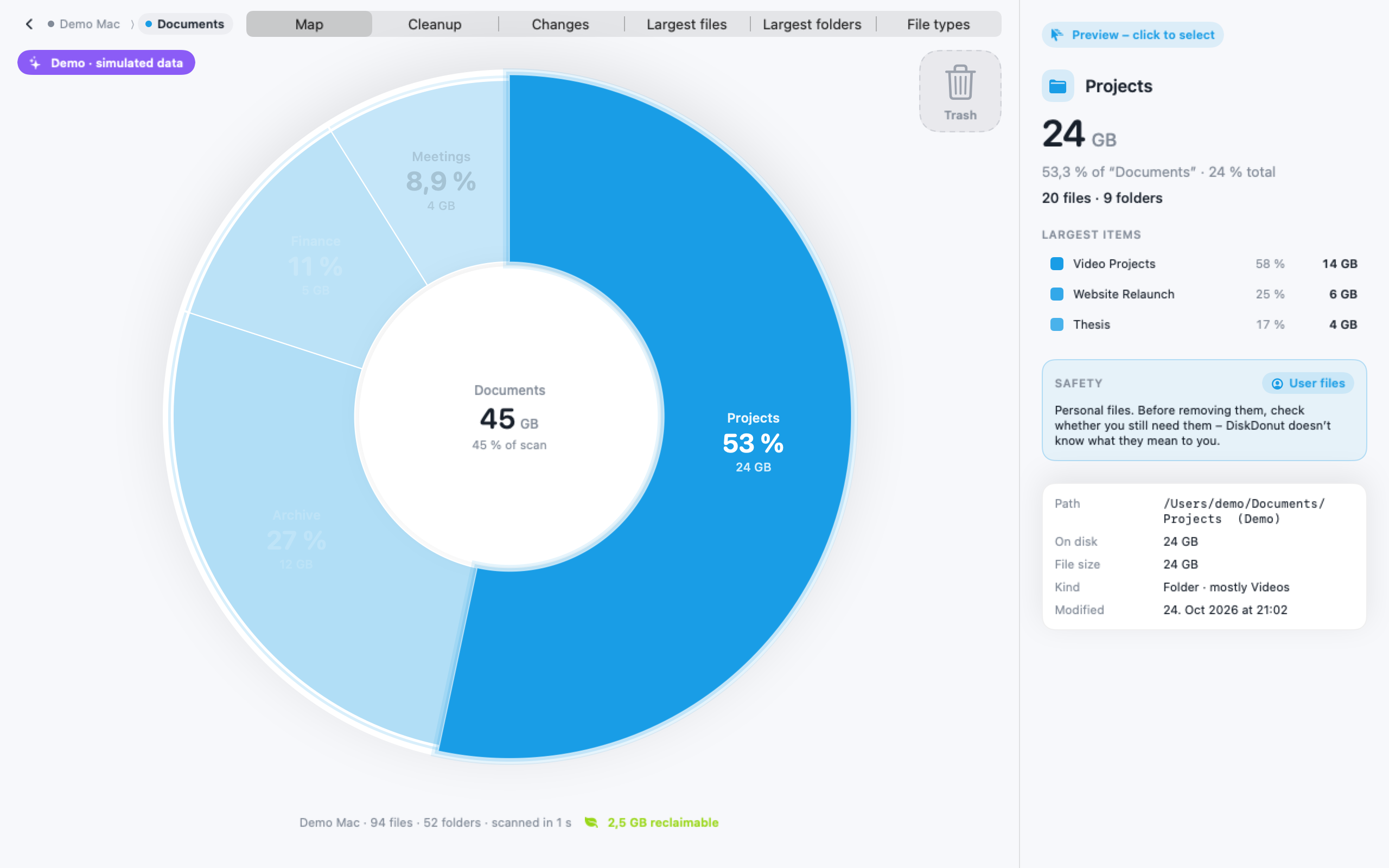
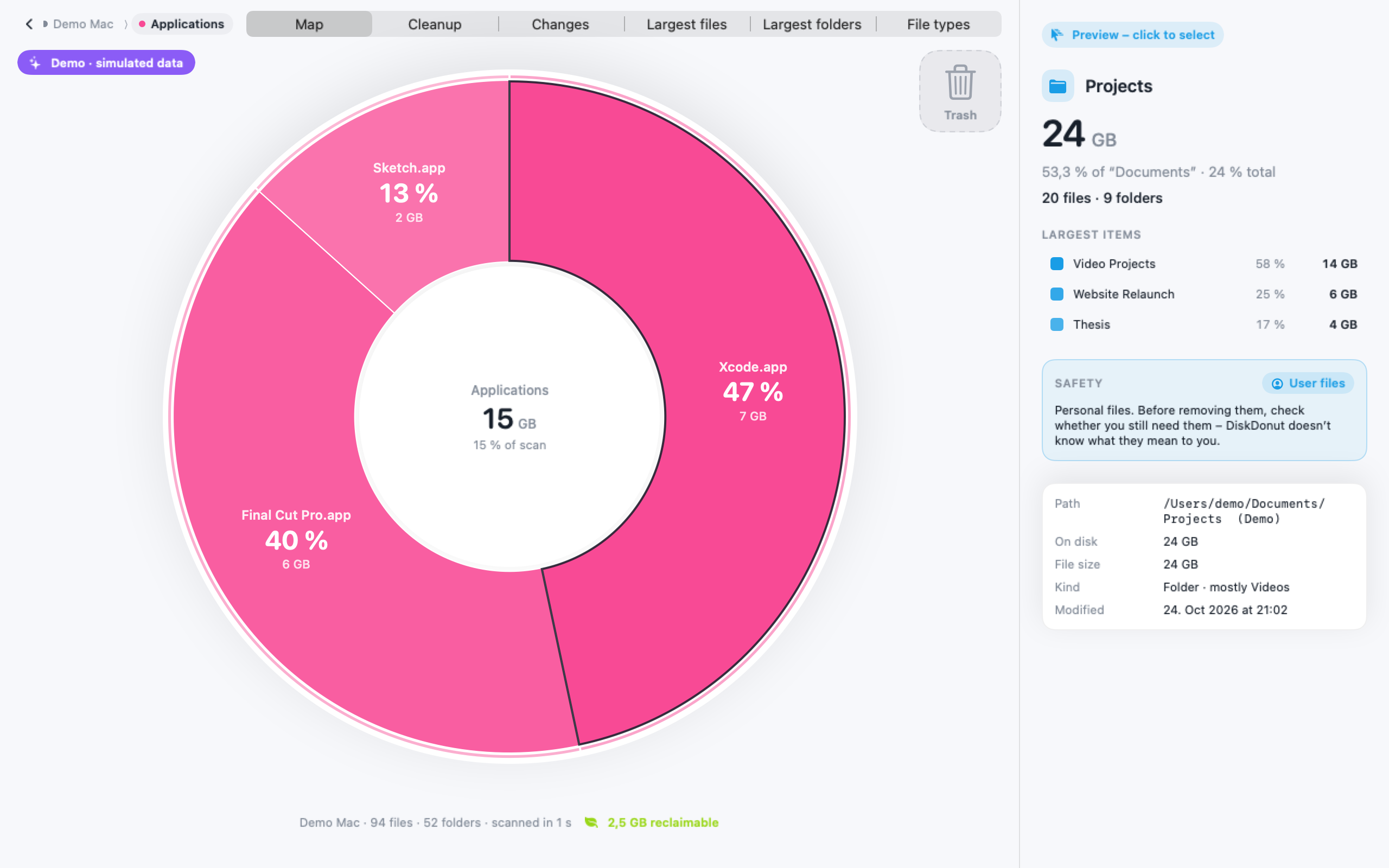
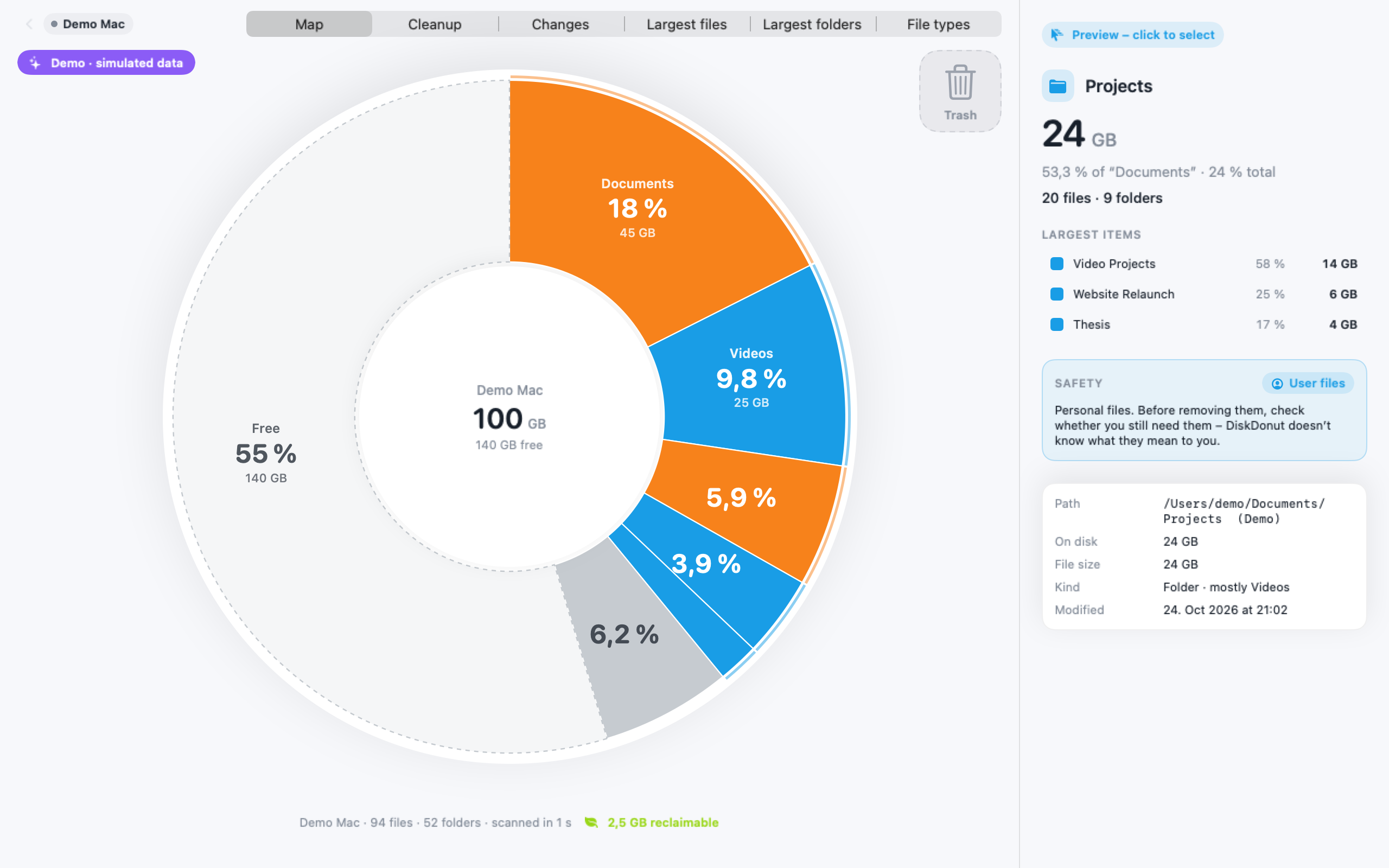
DiskDonut makes a Mac’s storage visible and cleanup safe. At its heart is the “rainbow ring”: an interactive sunburst chart that always shows one level. Clicking an area builds up the next level with a clockwise motion. The colors follow a fixed rule – the largest area is always Electric Blue, the second largest Amber, then Pink, Lime, Deep Blue, Teal and Violet – and reappear everywhere in the app: in the legend, in lists and during cleanup.
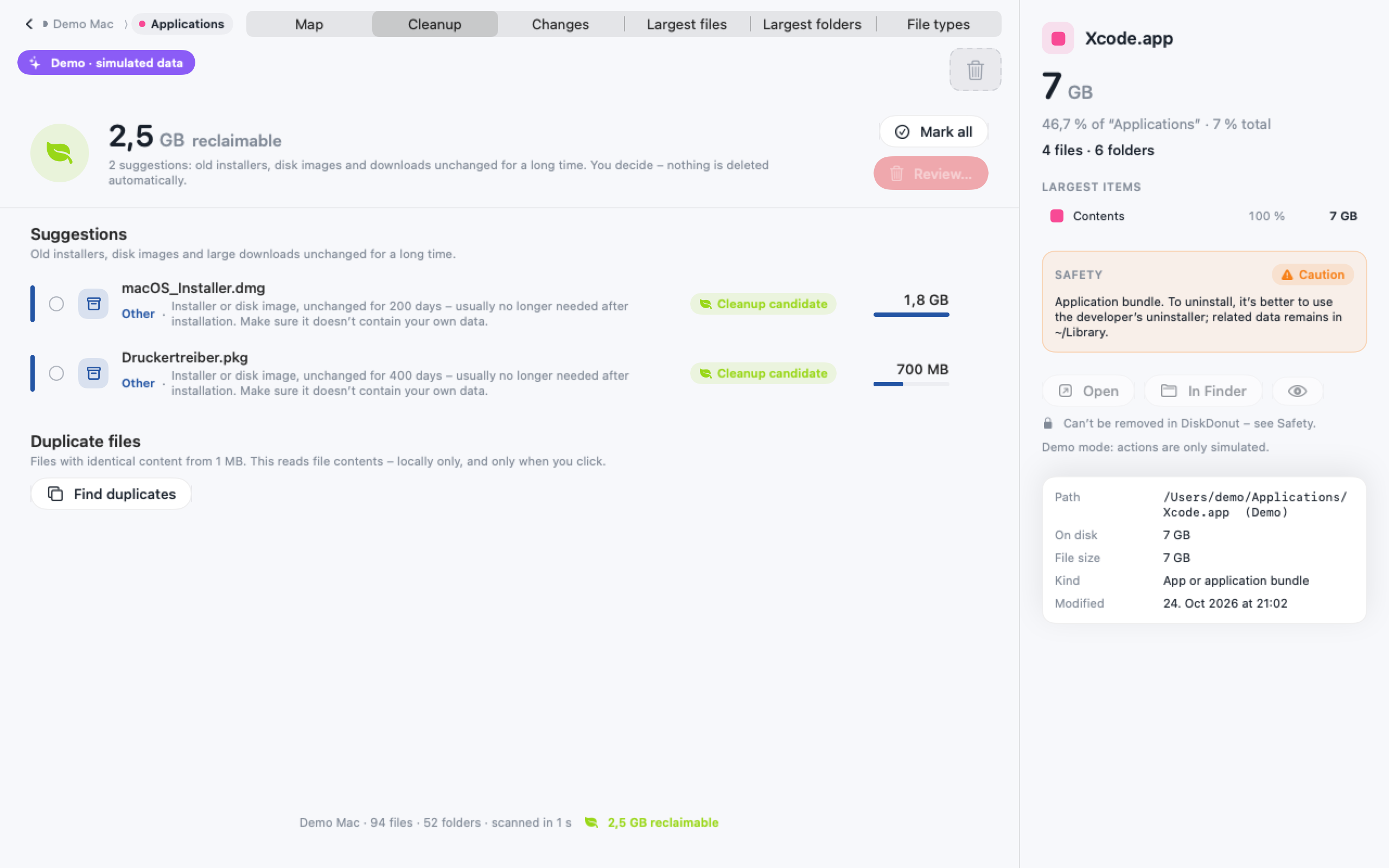
For every item, DiskDonut shows one of four safety levels along with a reason: Protected, Caution, User files or Cleanup candidate. System areas are locked, everything is checked again right before removal, and nothing is ever deleted automatically. By default, files go to the Trash.
DiskDonut is a native SwiftUI app; in our tests, it scans around a million files in about seven seconds on Apple Silicon. Everything runs locally: no account, no cloud, no telemetry. Scanning is free; DiskDonut Pro, a one-time purchase, unlocks cleanup, duplicate search, Special Cleanup, export and more.
Screenshots
Unless stated otherwise, all screenshots show demo mode with sample data.
-
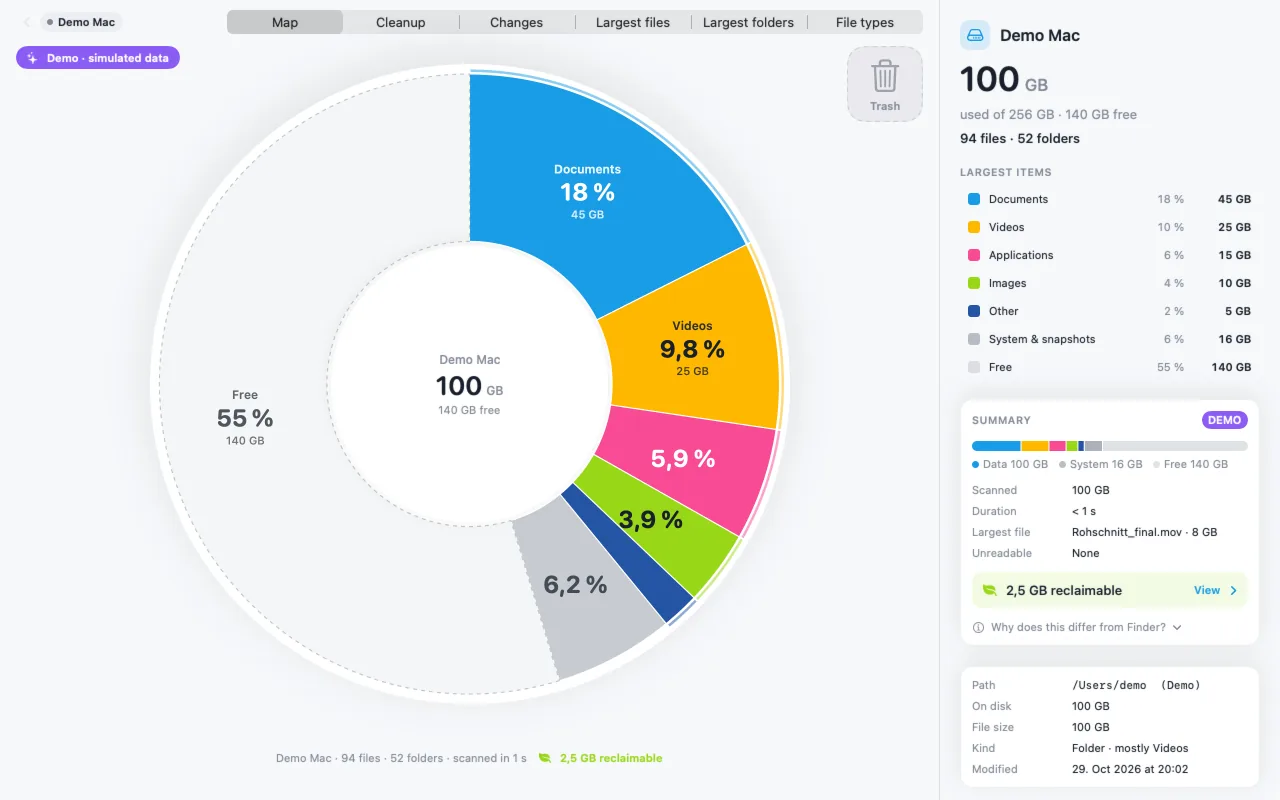
Overview: your whole Mac in one ring · Download PNG (PNG, 2560×1600) -
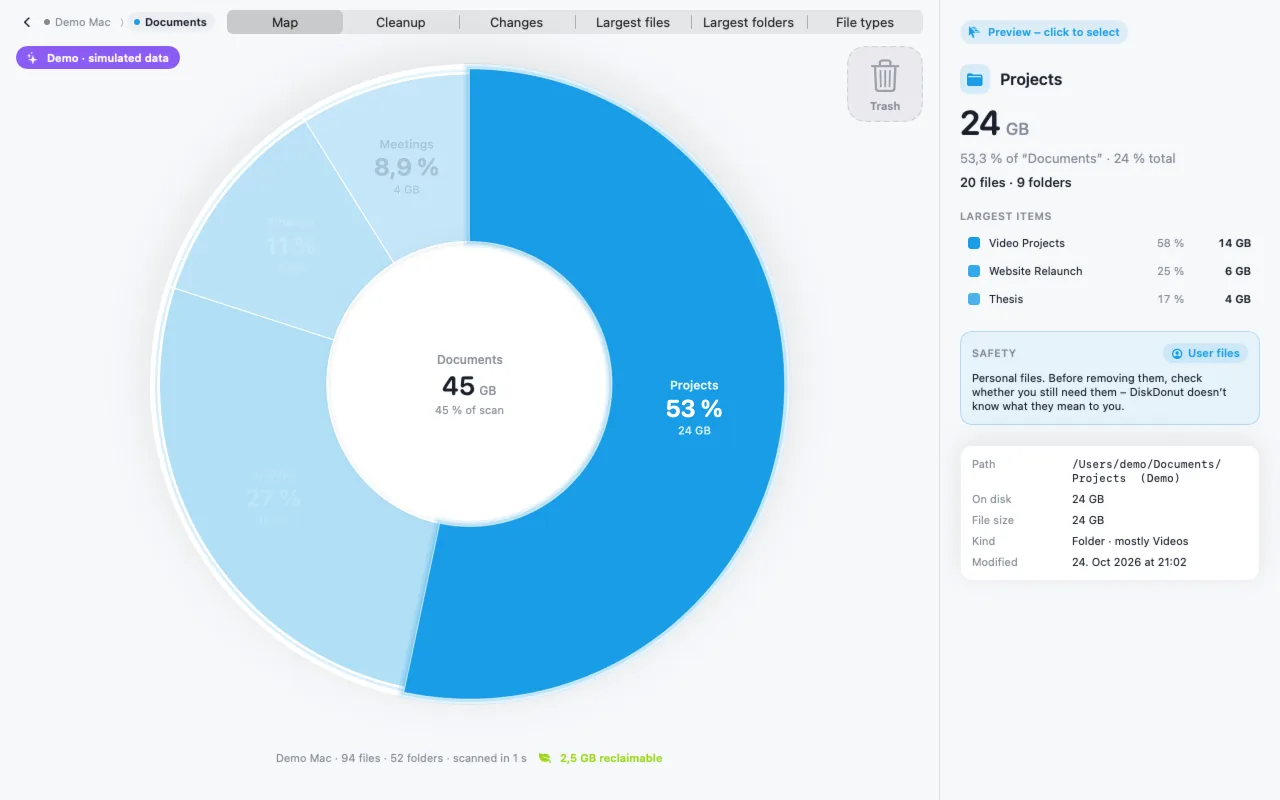
Zoomed in: subfolders keep the color of their area · Download PNG (PNG, 2560×1600) -
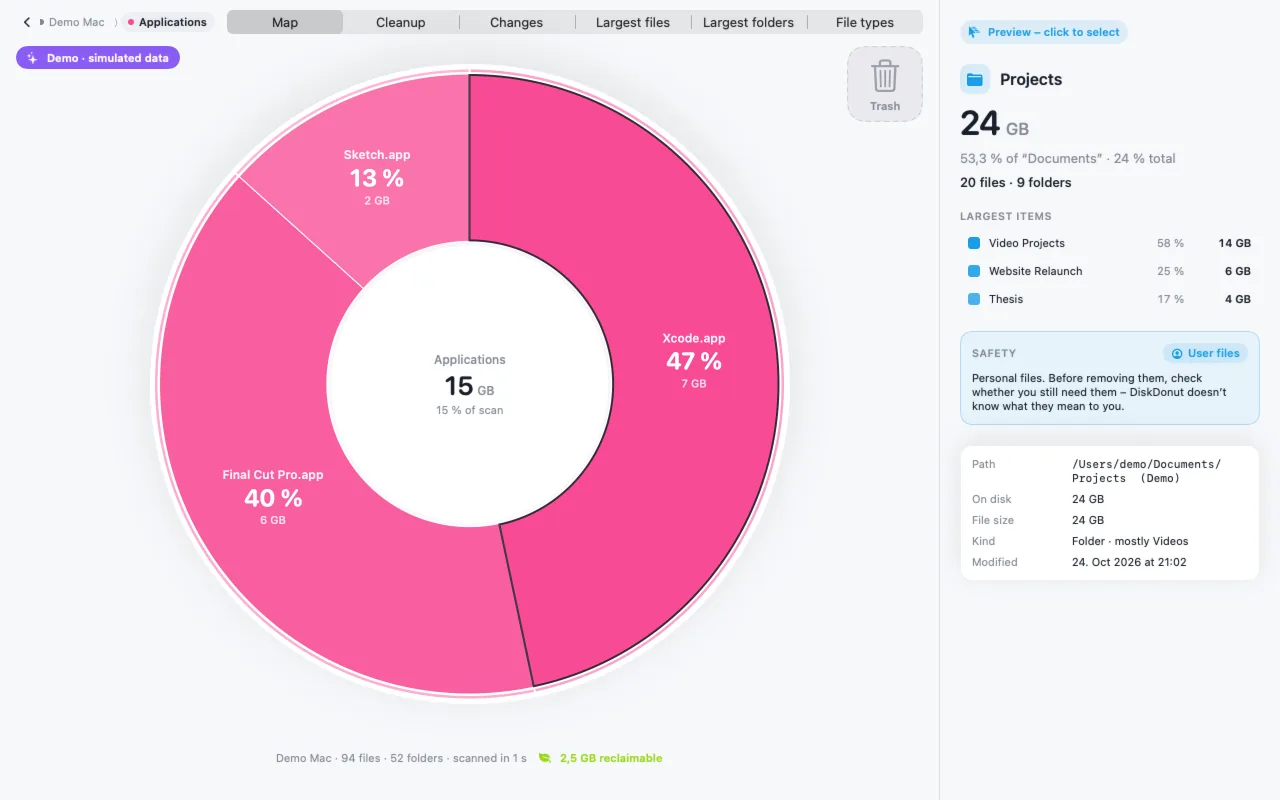
Inspector: size, contents and safety level with a reason · Download PNG (PNG, 2560×1600) -
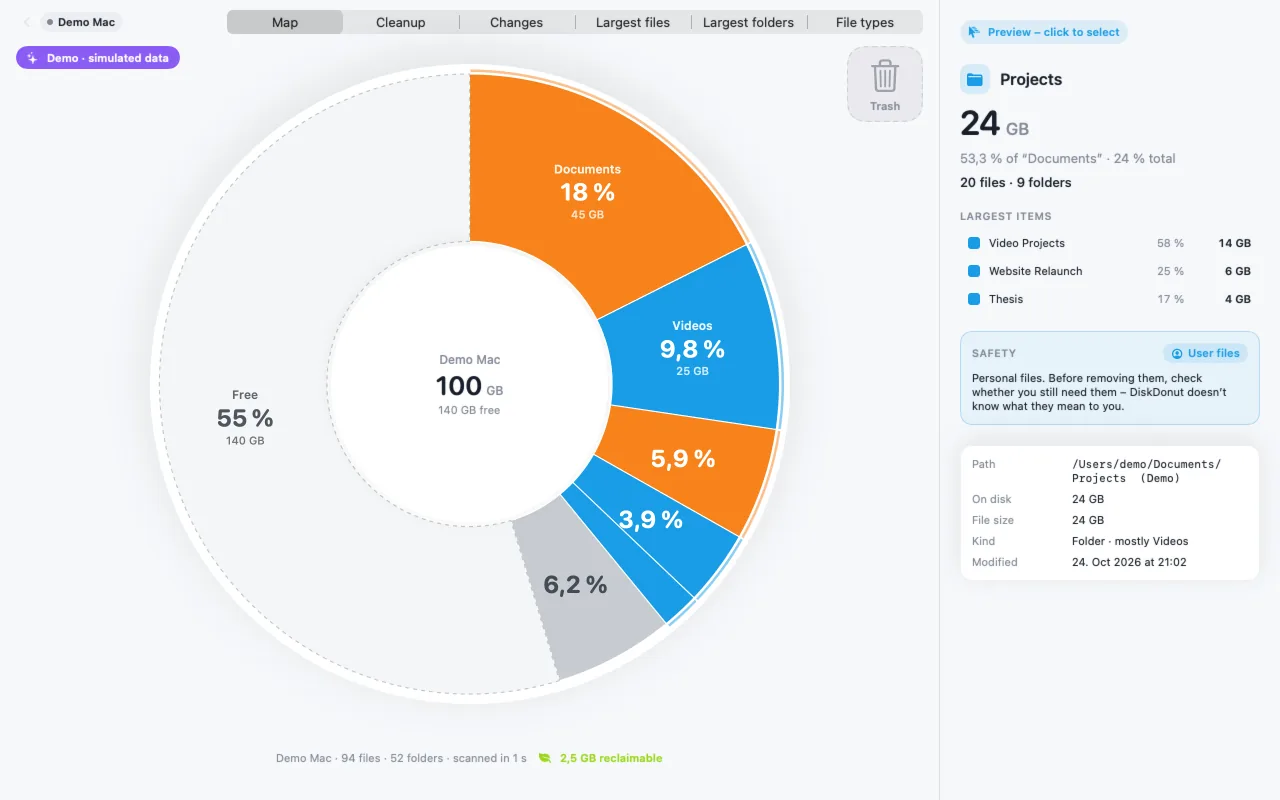
Colors by safety level · Download PNG (PNG, 2560×1600) -
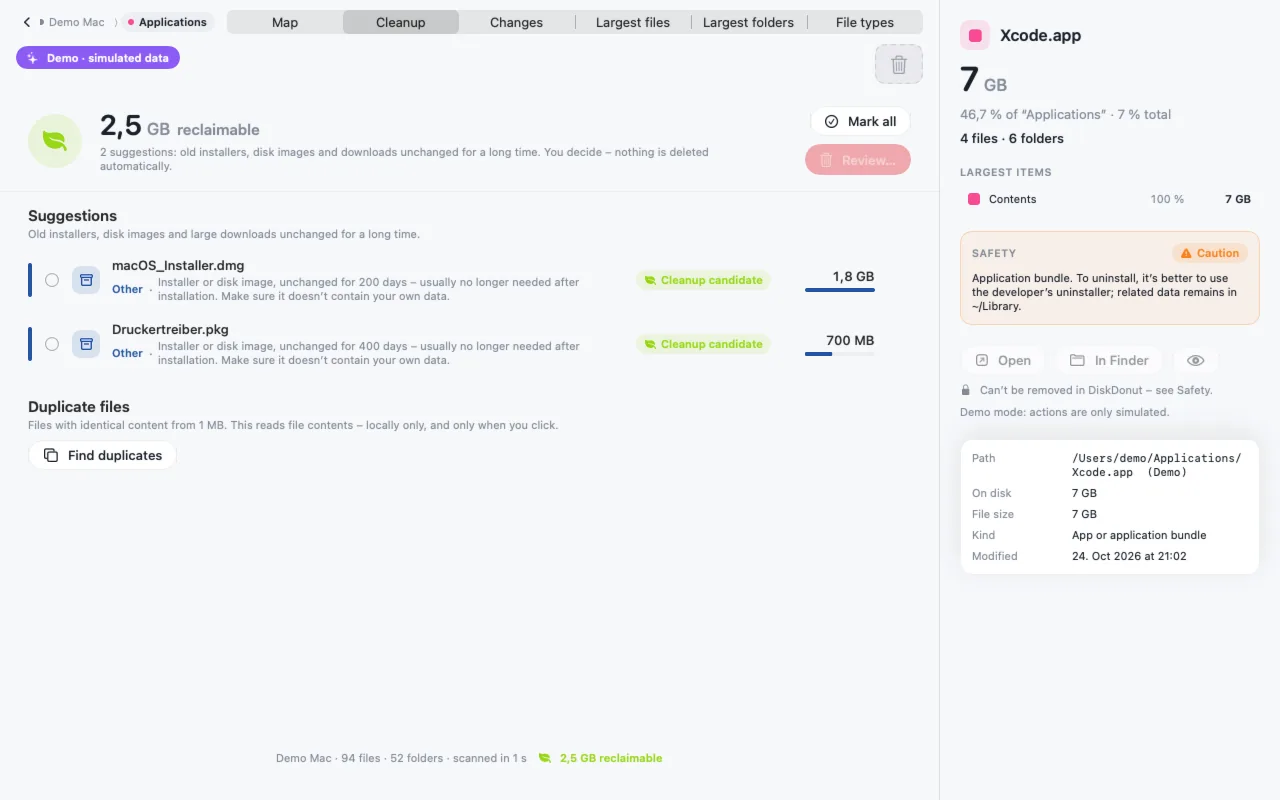
Cleanup: suggestions with reasons · Download PNG (PNG, 2560×1600) -
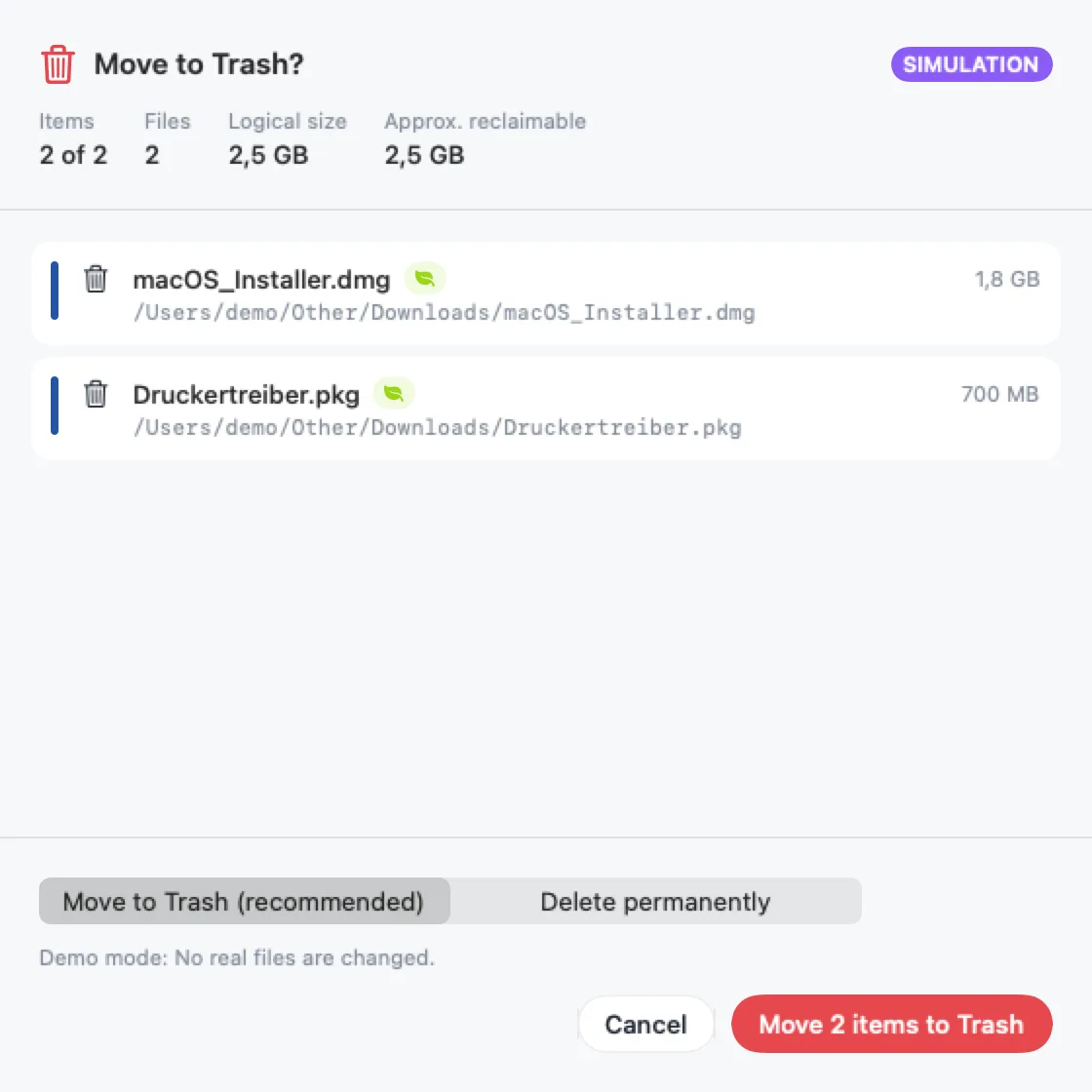
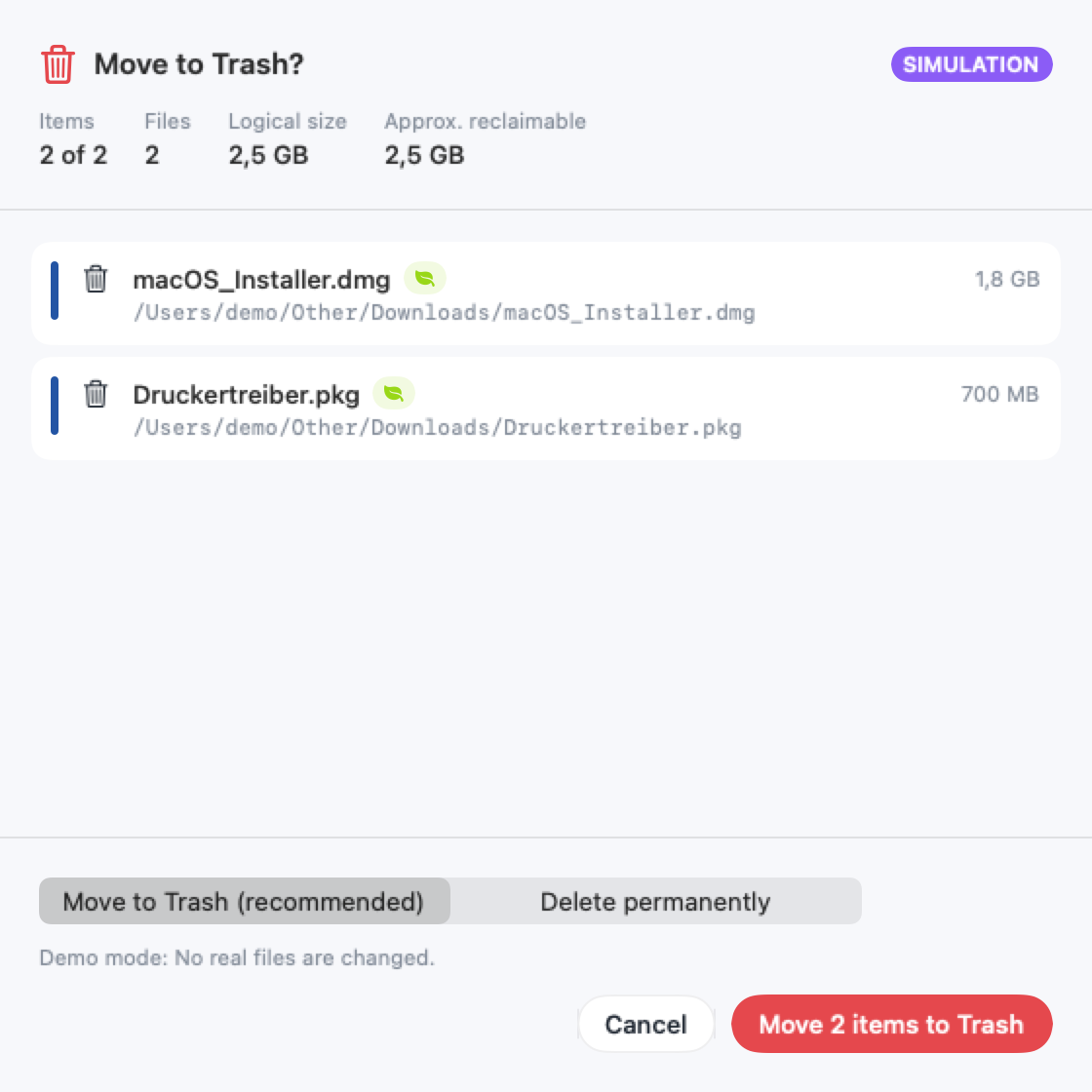
Confirmation: locked items are excluded · Download PNG (PNG, 1120×1120)


Area colors
- Electric Blue
- Amber
- Pink
- Lime
- Deep Blue
- Teal
- Violet
Press contact
For interviews, review licenses or more images: info@ronin-studios.de